How to Choose a 3D Interior Rendering Company
Choosing a 3D Interior Rendering company is not just a search for attractive images. It is a decision about how clearly your design can be understood before construction or purchasing begins. The right partner should translate plans, materials, and lighting choices into visuals that suit your project—not simply reproduce a polished style. That distinction matters. A beautiful image can still misrepresent room scale, obscure a finish, or show furniture that will not fit.
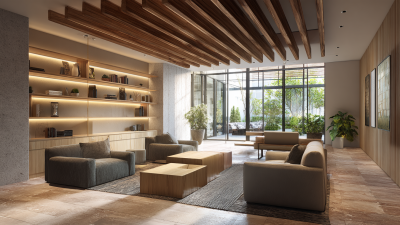
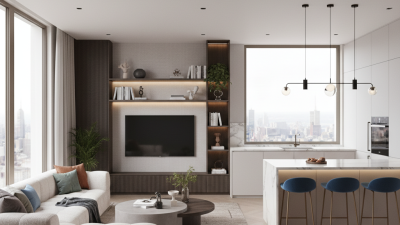
Start by reviewing work similar to your own, such as a compact apartment, a hotel lobby, or a retail interior. Look closely at window reflections, shadow edges, fabric texture, and the way daylight changes across a floor. Ask what files and references the studio needs, how revisions are handled, and who checks dimensions against the supplied plans. Specific answers are more useful than broad promises. Details count. A chair placed beside a narrow doorway can expose a scale problem that a wide-angle view hides.
Compare more than the quoted fee. Confirm the number of views, image resolution, delivery dates, revision limits, and ownership or usage terms in writing. Ask whether the team can share a sample workflow or explain how it manages missing design information. Clear answers build confidence. No checklist removes every risk, and even experienced teams may need clarification. That is worth noticing, not ignoring. A careful selection process helps you choose a 3D Interior Rendering company that communicates reliably, respects the design intent, and produces visuals you can make practical decisions with.

Define the Brief: Specify Views, Deliverables, and 4K Output (3,840 × 2,160)
A strong rendering brief describes what the images must help someone understand. Name each room, its purpose, and the details that cannot change, such as a stone island, built-in shelving, or a specific ceiling height. List the required views with camera positions: for example, a wide kitchen view from the doorway and a closer view of the island. Be specific. “Show the room” leaves too much open to interpretation. Reference plans, elevations, and material samples help reduce guesswork, though they may not answer every question.
State the deliverables before production begins. Specify image count, file format, aspect ratio, and whether you need day and evening versions. For print or detailed review, request 4K output at 3,840 × 2,160 pixels, and confirm the orientation fits your intended layout. Ask how drafts, revisions, and final files will be handled. Resolution matters, but it cannot fix poor lighting, awkward composition, or inaccurate materials. I once focused too heavily on pixel dimensions and overlooked a cropped pendant light; the image was sharp, but the framing was wrong. Include a review step at full size. Small details can change the whole impression.
Check Workflow Compatibility: Ask About IFC 4.3 and BIM File Handoffs
A rendering company’s visual quality matters, but workflow compatibility can determine how much rework follows. Ask whether its team can receive your BIM files directly or needs converted geometry. Request a sample IFC 4.3 handoff, then check whether wall openings, room names, material assignments, and coordinates survive import. Small mismatches matter. A door shifted 80 millimeters can distort a camera view or require manual correction. “IFC supported” is not specific enough.
Tips: Send a small, representative model before committing. Include one furnished room, a window, and two material types. Ask for a returned file or issue log, not only a polished image. This can show whether object identifiers, property sets, and units remain usable.
Confirm which IFC 4.3 exchange settings and software versions the team tests. Ask how it flags missing textures or altered geometry, and who resolves those issues. A short test can expose gaps early, though it may not catch every problem. No handoff is perfect; even a good team may miss a detail on the first pass. Make responsibilities clear before the full model is transferred.
How to Choose a 3D Interior Rendering Company
Check workflow compatibility: Ask about IFC 4.3 support and BIM file handoffs. The chart shows a suggested evaluation weighting—not industry survey results—to help compare workflow requirements.
Prioritize reliable IFC 4.3 exchange, coordinate handling, and preservation of model properties. Ask prospective partners to demonstrate the handoff with a sample file, and confirm which IFC entities and data their software actually supports.
Assess Portfolio Quality: Compare Lighting, Materials, and Spatial Accuracy
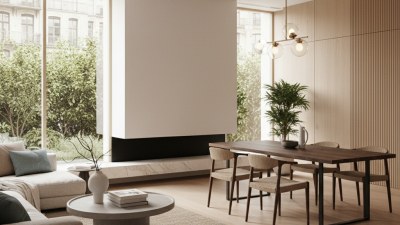
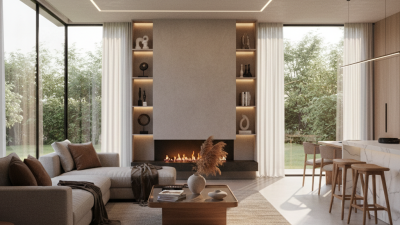
A strong portfolio should show more than attractive rooms. Compare how each company handles daylight, artificial lighting, and shadow. In a living-room scene, window light should fall naturally across the floor, while lamps create softer pools nearby. Reflections should feel believable, not glossy everywhere. Look closely.
Materials reveal technical care. Wood grain should follow the surface, stone should have subtle variation, and fabric should retain visible texture under bright light. Ask whether the images use real project references or approved material samples. A polished close-up can conceal weak detail elsewhere, so review complete rooms at full size.
Spatial accuracy matters just as much as style. Compare renderings with floor plans, elevations, or site photographs when available. Check door widths, ceiling heights, furniture clearances, and sightlines between rooms. A sofa may look elegant but still block a walkway. Request a sample view that includes a familiar measurement, such as a standard door, and ask how revisions are handled. Portfolios rarely show every limitation; even careful reviewers can miss scale errors on a small screen. Assess several projects, not just one striking image.
How to Choose a 3D Interior Rendering Company - Assess Portfolio Quality: Compare Lighting, Materials, and Spatial Accuracy
Illustrative portfolio review. Scores use a consistent 1–5 scale and are examples for comparison, not verified ratings of specific providers.
| Portfolio sample |
Lighting quality |
Score / 5 |
Material realism |
Score / 5 |
Spatial accuracy |
Score / 5 |
Overall |
| Portfolio A |
Balanced daylight, believable shadow softness, and consistent exposure across views. |
4.5 |
Wood grain and fabric textures read clearly; reflective surfaces are mostly controlled. |
4.0 |
Furniture scale and circulation appear consistent with the floor plan in the examples shown. |
4.5 |
4.3 |
| Portfolio B |
Dramatic artificial lighting creates atmosphere, though some corners appear underexposed. |
3.5 |
Stone and metal have convincing highlights; a few surfaces look overly glossy. |
4.0 |
Room proportions are generally clear, but some camera angles make distances harder to judge. |
3.5 |
3.7 |
| Portfolio C |
Soft, even illumination; window light direction remains coherent between views. |
4.0 |
Subtle surface variation helps distinguish timber, stone, and painted finishes. |
4.5 |
Openings and built-in elements align well with the supplied plan; furnishing clearances look plausible. |
4.5 |
4.3 |
| Portfolio D |
Strong contrast and clear focal points, with occasional highlights that appear too bright. |
4.0 |
Textures are detailed, although repeated patterns are noticeable on some large surfaces. |
3.5 |
Perspective is mostly convincing; one wide-angle view slightly exaggerates room depth. |
3.5 |
3.7 |
|
Scoring guide: 1 = weak evidence; 3 = competent with noticeable limitations; 5 = consistently convincing. Overall score is the average of the three category scores.
|
Compare Proposals by Scope, Revision Limits, Timeline, and Fee Structure
How to Choose a 3D Interior Rendering Company
Compare proposals line by line, not just by the final price. Check how many rooms, camera views, and image formats are included. Does the scope cover furniture placement, lighting adjustments, and material changes? Ask whether you will receive draft images before final renders. A sample view can reveal mismatched expectations early. Small details matter.
Revision limits need clear definitions. Some proposals count every adjustment as a revision, while others allow grouped feedback. Ask whether changing a wall color differs from redesigning a kitchen layout. Get it in writing. Also confirm how extra revisions are priced. A low initial fee may grow if ordinary refinements are excluded.
Compare timelines by milestone: brief approval, draft delivery, feedback rounds, and final files. A rushed schedule may leave little time to assess shadows or surface textures on screen. Check what happens if you send feedback late, or the studio misses a delivery date. Fee structures vary: fixed project fees are easier to budget, while hourly work may suit uncertain scopes. Request a payment schedule and a list of possible add-ons, such as high-resolution exports. Even a detailed proposal can miss something; flag unclear assumptions before signing.
Confirm Final Formats: A 360° Equirectangular Panorama Uses a 2:1 Ratio
When comparing a 3D interior rendering company, ask how it will deliver a 360° panorama—not just a flat image. A standard equirectangular panorama uses a 2:1 width-to-height ratio. For example, an 8,000 × 4,000-pixel file preserves that proportion. Confirm the dimensions, file type, and intended viewing platform in writing before production begins.
The ratio matters because panorama viewers map the image around a sphere. A cropped or incorrectly proportioned file can stretch furniture, distort vertical lines, or leave an awkward seam where the image meets itself. Check the seam. Ask for a low-resolution preview and inspect doorframes, ceiling edges, and the horizon before approving the final render. Also confirm whether the deliverable includes a single image or several linked room views.
A larger file is not automatically better. It may load slowly on a phone, while aggressive compression can soften fabric and wood grain. Ask the studio to test the export on the devices your audience will use. Even a technically correct panorama can feel oddly flat if the camera sits too high or the lighting lacks depth. That part is easy to overlook. Share camera-height preferences and any reference images early, then verify one representative view before the remaining scenes are rendered.