How to Create Stunning Cad Rendering for Your Projects?
Creating stunning CAD renderings can elevate any project. These visuals help convey design intent effectively. However, achieving high-quality renderings requires skill and practice. Many assume that CAD rendering is straightforward, but it can be quite complex.
Often, beginners overlook essential details. Lighting and textures significantly impact the realism of a rendering. A well-lit scene can make even a simple design look remarkable. Yet, many struggle with achieving this balance. They may end up with dull images that fail to impress.
Understanding software settings is crucial. Misconfigured settings can lead to frustrating results. Render times may extend beyond expectations. Taking the time to learn and experiment is vital for improvement. Reflecting on each project can lead to better outcomes in the future. Embrace the challenges of CAD rendering, and strive for excellence in each new attempt.
Understanding the Importance of CAD Rendering in Design Projects
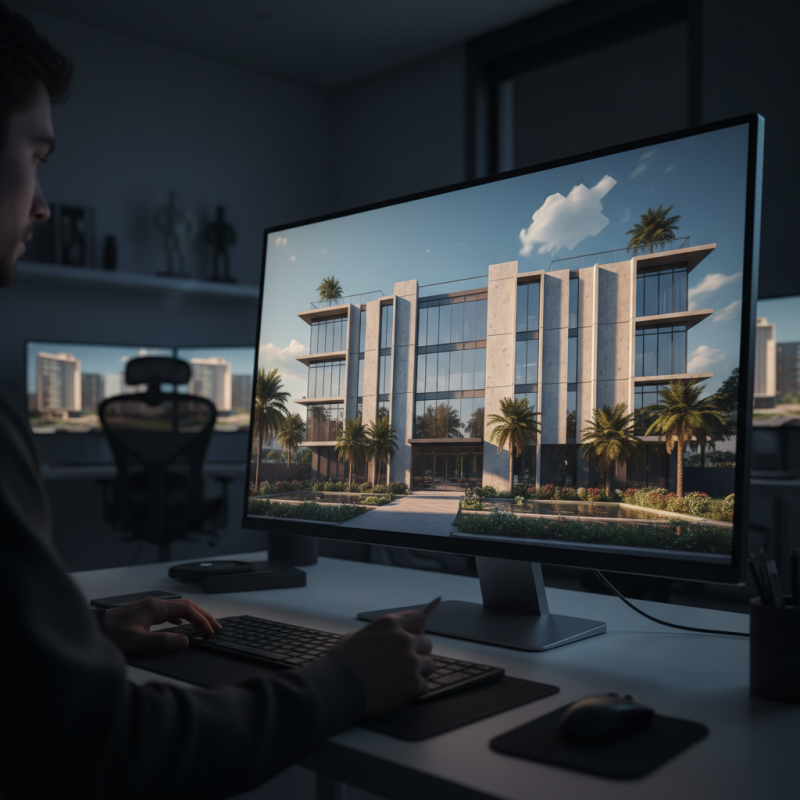
CAD rendering plays a crucial role in modern design projects. It transforms abstract ideas into visual representations. These images help clients visualize the final outcome. High-quality renderings can showcase materials and textures. They create a sense of realism that sketches simply cannot achieve.
Designers often face challenges when creating accurate renderings. Sometimes colors don't match the original palette. Lighting can be tricky too. It’s essential to understand how shadows affect perception. Reflecting on these issues can enhance future projects. Creativity often flourishes when we confront our mistakes. CAD rendering is not just about aesthetics; it’s about communication. By improving our visual storytelling, we can bridge the gap between concept and reality.
CAD Rendering Quality Analysis
Techniques to Enhance Realism in CAD Renderings
Creating stunning CAD renderings requires attention to detail. To enhance realism, focus on lighting. Natural light can make a big difference. Use soft shadows for a more inviting atmosphere. Harsh lighting often detracts from realism, but it can also create striking effects if used thoughtfully. Experimentation is key; finding the right balance can be elusive.
Textures play an essential role. High-resolution textures can bring your models to life. Look for imperfections; they add authenticity. A wood texture with knots, or a weathered wall, feels more real than a smooth surface. Overdoing details can be overwhelming. Simplicity is often underappreciated.
Lastly, consider the environment. A well-designed backdrop enhances the overall composition. Use subtle elements that don't compete with your main subject. A blurred background can be effective, drawing attention to your design. Evaluate your work often. What feels right today may need rethinking tomorrow. Embrace the iterative process; every rendering teaches something new.
Incorporating Textures and Lighting Effects for Impactful Visuals
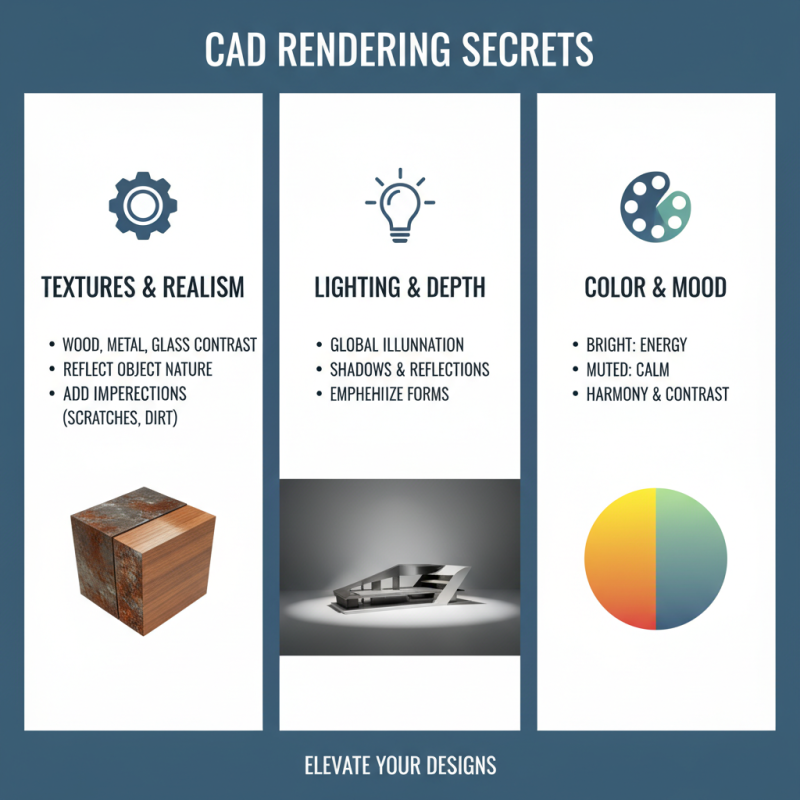
Creating captivating CAD renderings requires attention to textures and lighting. Textures bring depth and realism to your project. Consider using different materials like wood, metal, or glass for contrast. Each texture should reflect the object's nature and purpose. The choice of colors plays a key role too. Bright colors can energize a space, while muted tones can provide calm. Adding imperfections, like scratches or dirt, can enhance authenticity.
Lighting effects are crucial for impactful visuals. Natural lighting often creates a warm and inviting atmosphere. Try to simulate sunlight with shadows and soft glows. Artificial lighting can highlight specific features. Experimenting with intensity and color can produce dramatic effects. Remember, not all lighting must be perfect. Some shadows may seem harsh or out of place. These imperfections can sometimes evoke intrigue and spark questions.
Finding the right balance between texture and lighting can be tricky. Too much detail might overwhelm the viewer. Conversely, a lack of detail can lead to bland visuals. Reflect on your choices and think about the message you want to convey. Each element tells a story, so they must align cohesively, yet there is beauty in the quirks. Never underestimate the power of subtlety.
Best Practices for Presenting Your CAD Renderings to Clients
Presenting CAD renderings effectively is crucial in winning client approval. A study by the American Institute of Architects found that high-quality 3D visuals can increase client engagement by up to 70%. It's not just about showing a model; it's about telling a story. You need to highlight key design features and their benefits clearly. Use realistic textures and lighting to evoke emotions. A visually appealing rendering can often lead to a better understanding of the project scope and vision.
While technical accuracy is important, presentation must remain user-friendly. Many designers neglect the importance of context. Renderings without background visuals may confuse clients. Incorporate realistic environments that reflect the project’s purpose. This will enhance the viewer's experience. Remember, clients may struggle to see your vision without proper context. Aim for high-quality renders, but don't forget to balance perfection with relatability. Even the best renderings can miss the mark if they don't resonate with viewers.
Finally, gather feedback after presenting your renderings. A report from the Design Council revealed that more than 60% of client dissatisfaction arises from miscommunication during the design phase. Encouraging open dialogue about the renderings can help refine client expectations. Reflecting on this feedback loop will only strengthen future presentations.