


7 Best Artistic Rendering Software for Buyers
Choosing among the 7 Best Artistic Rendering Software for Buyers means balancing visual quality with practical demands. A convincing image may begin with a textured wall, soft window light, and accurate shadows. But buyers also need dependable workflows, manageable learning curves, and tools that fit their existing projects.
The market is expanding. Grand View Research estimated the global 3D rendering market at approximately $3.4 billion in 2023 and projected strong growth through 2030. That figure describes a broad market, not sales of artistic software alone. Autodesk’s 2024 State of Design & Make report draws on responses from 5,399 industry leaders and experts across design, construction, manufacturing, and media. Together, these reports show why rendering tools matter, while reminding buyers that market growth does not prove one application is best.
This guide compares software by the work buyers actually need to do: creating expressive images, adjusting materials, testing lighting, and delivering finished files. Some tools favor hands-on control; others make fast visualization easier. A polished demo can hide awkward menus or demanding hardware requirements. That matters. No shortlist can replace testing a real project with your own models, deadline, and computer. The “best” choice may still involve compromises.
## Define Artistic Rendering Software by Workflow, Output, and Technical Requirements
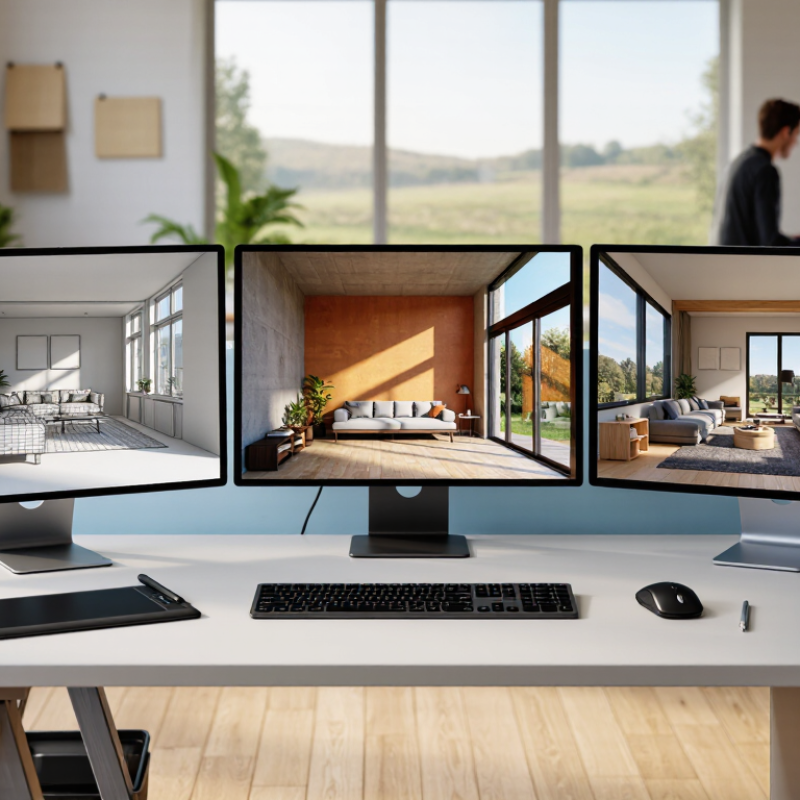
Artistic rendering software is best defined by the work it must support, not by a feature list. A concept artist sketching over a 3D model needs responsive brushes and quick previews. An architectural visualizer may need accurate lighting, material controls, and repeatable camera views. Some tools favor immediate feedback; others trade speed for more detailed calculations. That difference shapes daily use.
Output requirements narrow the choice. Check whether the software can produce still images, animation, transparent backgrounds, or layered files. A 4K image with fine surface textures places different demands on memory than a small preview. Color management also matters when work moves from a calibrated monitor to print. Test a sample project. Look closely at edge detail, shadows, and export quality.
Technical fit can rule out an otherwise appealing option. Compare supported operating systems, graphics hardware, memory needs, file formats, and compatibility with existing design tools. Estimate how long typical scenes take to render, not just how quickly an empty test scene opens. A trial run helps, though it may not reveal every bottleneck. That matters. Buyers should also consider learning time and project scale; I would not assume the most advanced workflow is automatically the most practical.
## Compare 7 Leading Tools Across 2D, 3D, and Real-Time Rendering
Choosing among seven rendering tools means matching the workflow, not chasing the flashiest demo. A 2D painter suits textured concept art; a 3D renderer helps test materials, shadows, and camera angles. Real-time tools make interactive previews easier, while offline rendering can handle complex lighting with more control. The trade-off is real: faster previews may look less refined, and detailed settings can slow a small team down.
Grand View Research estimated the global 3D rendering market at about $3.6 billion in 2022 and projected strong growth through 2030. That signals wider adoption, not a guarantee that every buyer needs advanced software. Compare seven options by learning curve, file compatibility, hardware demands, and licensing costs. Test the same scene in each: a glass object beside a window reveals noise, reflections, and preview speed quickly. I would still trust a hands-on test over a feature chart; charts miss friction.
Tip: Set one small test brief before comparing tools. Use a room, a product, or a character, then check how easily you can revise lighting and export usable files. Keep notes. A tool may feel awkward at first, and that impression can be wrong.
## Assess Performance with Blender Open Data Render Times and SPECviewperf Scores
For buyers comparing artistic rendering software, benchmark data can expose bottlenecks that polished demos hide. Blender Open Data publishes render times for named scenes and tested hardware, making it useful for comparing like with like. Check the scene, render engine, and hardware configuration before trusting a result; a quick render on one setup may not predict performance on yours. Small differences matter. A detailed scene can turn seconds into minutes.
SPEC’s SPECviewperf 2020 documentation reports scores across eight professional-graphics workloads. Those scores help assess viewport performance, but they do not measure final image rendering. Read them beside Blender Open Data timings, not as a substitute. A high viewport score may mean smoother orbiting around a model, while a long render time still delays delivery. No metric is tidy. Results vary with drivers, memory, settings, and scene complexity, so avoid treating any single score as a universal ranking. For a practical check, test a representative project on the systems you are considering, record both viewport responsiveness and render time, and note where the comparison feels imperfect.
7 Best Artistic Rendering Software for Buyers — Assess Performance with Blender Open Data Render Times and SPECviewperf Scores
Benchmark results are hardware- and version-dependent, so this table provides a factual buyer’s comparison framework rather than invented product rankings or scores. Blender Open Data reports render performance for tested systems; SPECviewperf reports graphics performance by viewset. Neither benchmark alone establishes the overall quality of a rendering application.
| Buyer check | What the benchmark can tell you | What to compare | Important limitation |
|---|---|---|---|
| Blender Open Data render time | The benchmark records how long a tested system takes to render its included scenes. Shorter times indicate faster completion for the same workload and test conditions. | Compare results for the same scene, benchmark version, device type, and comparable system configuration. | Results are not a universal render-time rating for every scene or rendering application. |
| Blender Open Data device result | Published results identify the tested device and system details, allowing performance to be considered in hardware context. | Check the processor or graphics device, memory, and other available configuration details alongside the result. | A result from one configuration should not be treated as the expected result for a different workstation. |
| SPECviewperf viewset score | SPECviewperf measures graphics performance using viewsets that represent professional graphics workloads. Its reported scores are viewset-specific. | Compare the same viewset and benchmark version, and review the full set of relevant viewset results rather than a single headline score. | A viewset score is not a render time and does not directly measure final-image rendering quality. |
| Interactive viewport performance | Viewset results can help assess graphics responsiveness in representative visualization workloads. | Match the viewsets to the buyer’s actual tasks, such as navigating complex models or displaying detailed scenes. | Performance in a benchmark workload may differ from performance in a particular project or application. |
| CPU versus GPU rendering | Render results are meaningful only when the tested device and rendering path are identified. | Compare CPU and GPU results separately where both are relevant, using the same scene and consistent test conditions. | Not every renderer supports the same devices or features, so results may not be directly interchangeable. |
| Repeatability and test conditions | Benchmark records allow results to be checked against the stated test setup and benchmark version. | Look for clearly identified versions, device details, and repeated or independently available results. | Different software versions, drivers, settings, or thermal conditions can change measured performance. |
| Fit to the buyer’s workflow | Benchmarks provide performance evidence for their defined workloads; they do not score usability, features, or workflow suitability. | Use benchmark results alongside a trial of the intended scenes, rendering features, and production workflow. | There is no single Blender Open Data render time or SPECviewperf score that proves one application is best for every buyer. |
## Match Pricing, GPU Requirements, and File-Format Support to Buyer Needs
Choosing artistic rendering software starts with the work you actually sell. A solo illustrator may value predictable monthly costs and quick previews. A small visualization team may need shared libraries, batch processing, and clear commercial-use terms. Compare the full cost, not just the entry price: upgrades, extra seats, and storage can change the budget. A cheaper plan is not always cheaper.
GPU needs depend on scene size, effects, and rendering method. Check the software’s hardware guidance against your own computer. Then test a representative scene, such as a room with glass, soft shadows, and several large textures. Watch memory use and export time. A simple demo scene can hide bottlenecks. I once underestimated this. It happens.
Tips: Before buying, export a sample project to the formats your clients request, such as layered images or common 3D exchange files. Reopen the export in another tool if possible. Check for missing textures, shifted colors, or flattened layers. Confirm whether plugins are required. A short scorecard for price, GPU performance, and format fidelity can expose trade-offs that a feature list misses.
7 Best Artistic Rendering Software for Buyers
Match pricing, GPU requirements, and file-format support to your workflow.
The VRAM figures are practical planning targets, not guaranteed software minimums. Actual needs depend on scene complexity, texture resolution, render settings, and other applications running at the same time.
| Workflow | Pricing to compare | Formats to verify |
|---|---|---|
| Real-time scene design | Free tier, subscription, or seat-based license | FBX, OBJ, glTF |
| Stylized 3D rendering | Free/open-source option versus paid license | OBJ, FBX, glTF |
| Product visualization | Subscription or perpetual license; check upgrade costs | STEP, IGES, OBJ |
| Architectural visualization | Subscription or perpetual license; check team-seat pricing | IFC, FBX, OBJ |
| Animation and VFX | Subscription or perpetual license; check render-farm costs | Alembic, USD, OpenEXR |
| GPU path tracing | License plus any paid render services or add-ons | USD, OBJ, OpenEXR |
| Large, texture-heavy scenes | Compare license, storage, and cloud-rendering charges | USD, OpenEXR, TIFF |
Format names are a buyer’s import/export checklist, not a claim that every application supports them. Confirm the exact versions and whether materials, animation, and color data transfer correctly.
## Rank the 7 Options by Usability, Compatibility, and Professional Workloads
The seven options rank differently once daily work begins.
- Browser-based renderers suit quick reviews and low-friction onboarding.
- Integrated CAD renderers reduce file handoffs for small design teams.
- Real-time GPU tools excel at interactive walkthroughs.
- General-purpose 3D suites offer broad control but demand learning time.
- Physically based renderers favor accurate lighting and material studies.
- Node-based systems support repeatable, complex workflows.
- Pipeline-focused tools fit large studios, but can overwhelm solo buyers.
These are practical categories, not a universal performance test.
Compatibility deserves equal weight.
Check native file support, export formats, GPU requirements, and whether teammates can open a project without rebuilding materials. The 2024 State of Design and Make survey collected responses from 5,399 industry leaders; 72% said technology improved collaboration. That supports prioritizing easy sharing, though it does not prove one renderer is best.
Test a real project: a narrow interior, a glass façade, and a late material change. I would not judge from a polished demo alone. It is an imperfect comparison, but a useful one. A tool that renders beautifully yet breaks your handoff may cost more time than it saves.
Related Posts
-
China Top 10 Artistic Rendering Companies for Global Buyers?
-
What Are the Top CGI Rendering Types for Global Buyers?
-

How to Use CGI Rendering for Product Visualization?
-

Top Tips for Creating Stunning Sketch Up Renders?
-
10 Digital Rendering Tips for Global Buyers
-

Best 3D Rendering Companies in China for Global Buyers