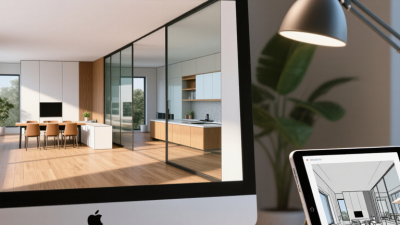


Top 10 Best Rendering Plugins for SketchUp in 2026
Rendering can turn a clean SketchUp model into a convincing space, but the plugin matters. A bright window, soft shadows, and believable material textures can change how a design reads. The Sketchup To Render workflow also affects how quickly you can test those details. Some tools prioritize speed; others offer deeper control over lighting, cameras, and post-processing. There are trade-offs. A realistic image may take longer to produce, while a fast preview can leave surfaces looking flat.
This guide to the Top 10 Best Rendering Plugins for SketchUp in 2026 compares options by image quality, usability, workflow fit, and practical considerations such as learning curve and hardware demands. It is designed to help architects, interior designers, students, and visualization teams narrow their choices—not to declare one universal winner. A small studio producing quick client previews may need a different tool from a team creating detailed marketing images. Plugin features, pricing, and SketchUp compatibility can change, so check current product information before committing. A short test with your own model is useful: render the same room, material palette, and lighting setup in a few candidates. No plugin is perfect. And a polished render can still feel lifeless if the design itself needs work. The comparisons ahead aim to make that choice clearer, while leaving room for your own judgment.

Define SketchUp Rendering Plugins and Their Architectural Workflows
A SketchUp rendering plugin is an add-on that turns a modeled scene into a view of light, materials, and atmosphere. Architectural teams typically use it after geometry is stable, not as a substitute for sound modeling. A practical workflow moves from clean layers and component names to material mapping, daylight setup, test renders, and final output. Small previews reveal problems early. An overly glossy floor can distort material choices, while a north-facing window may need its own lighting test. NBS’s 2023 Digital Construction Report found that 73% of surveyed professionals used BIM. That figure describes BIM adoption, not rendering-plugin use.
A plugin’s value depends on where feedback is needed: concept review, client approval, or detailed material checks. For faster iteration, keep geometry light and render a small crop before committing to a full frame. McKinsey Global Institute’s 2017 construction analysis estimated that labor productivity grew about 1% annually over two decades. Rendering cannot fix project-wide inefficiency, but clear visual reviews can expose mismatched finishes before documentation advances. Not magic. Photorealism can also make uncertain design choices look settled. Record camera, lighting, and material assumptions beside each image; teams can easily forget them.
Set 2026 Criteria: Compatibility, Price, Render Speed, and Output Quality
Choosing a SketchUp rendering plugin in 2026 means testing your actual workflow, not trusting a feature list. The 2023 NBS Digital Construction Report found that 73% of surveyed professionals used BIM. That is a useful reminder: check model exchange, file stability, and version compatibility, not just image quality. A plugin that breaks imported materials can cost more time than its subscription saves.
Keep the test fair. Use the same small room, lighting, output size, and hardware for every tool. Record three render times and compare the median. The SPECviewperf 2020 benchmark reports performance by graphics workload, rather than offering one universal speed score; use that same workload-specific mindset. For quality, inspect a 4K crop for noisy shadows, soft edges, and mismatched material colors. Price should include recurring fees, hardware needs, and time spent fixing errors. My own comparison would still be imperfect: one bright interior can flatter a renderer, while a glass-heavy scene may expose its weaknesses. Test both.
Compare 10 Leading Tools, Including V-Ray, Enscape, and D5 Render
Comparing ten leading SketchUp rendering tools means judging workflow, not just image quality. Real-time options show lighting changes quickly, while path-traced engines can produce more convincing reflections and soft shadows. Cloud-based tools may help teams share drafts, but they depend on reliable uploads. A 2024 kitchen scene can reveal practical differences: look for accurate cabinet edges, readable material textures, and daylight that does not wash out the countertop. No single tool wins every test. That matters.
The U.S. National Institute of Standards and Technology’s 2004 interoperability report estimated annual costs of $15.8 billion across the capital facilities industry. That figure is not specific to rendering software, but it highlights why clean file exchange and consistent project data matter. In practice, compare import reliability, render speed, material control, and revision handling. I still find that a beautiful preview can hide awkward settings. Test the same model in each tool before committing.
Tips: Use one small test scene with glass, metal, wood, and a window. Record render time and revision steps. Check whether exported images preserve scale, color, and detail. Keep notes; memory is unreliable.
Assess Image Quality at ITU-R UHD-1: 3,840 × 2,160 Pixels
For a fair comparison of rendering plugins, assess every image at 3,840 × 2,160 pixels, the ITU-R UHD-1 format. ITU-R Recommendation BT.2020 defines this UHD image format; it contains 8,294,400 pixels, four times the pixel count of 1,920 × 1,080. Keep the same camera, crop, lighting, and output settings for each test. Otherwise, a wider frame or brighter exposure can make one render appear sharper without improving its underlying detail. Small differences show.
Inspect a close crop of a window frame, a textured wall, and a soft shadow. At UHD-1, jagged edges, noisy reflections, and blurred texture become easier to spot. Compare both the full image and a 100% crop; a dramatic preview can hide defects that pixel-level inspection reveals. Record render time and file size alongside visual quality, since a beautiful frame may take too long for a real deadline. I would also repeat the test with a daylight scene and a night scene. One scene is not enough. Still, this method has limits: screen calibration, display scaling, and personal judgment affect what looks “clean.” Note those conditions, and treat the score as a practical comparison, not a universal verdict.
Rank the Plugins Using Vendor Specs, GPU Needs, and Benchmark Metrics
A useful ranking of SketchUp rendering plugins needs more than polished sample images. We compare published features with practical hardware demands and repeatable benchmark results. Vendor specifications show supported render modes, denoising options, and stated memory requirements. They do not prove equal performance on every workstation.
Benchmarks should use the same model, output size, lighting, and image quality target. We track render time, GPU memory use, noise levels, and stability across repeated runs. Small scenes matter. A simple room can reveal whether a plugin handles soft shadows quickly, while a detailed exterior tests memory pressure. GPU needs deserve close attention: a plugin may require a recent graphics card, yet still perform poorly when a scene exceeds available video memory.
Scores should reward image quality and speed without hiding hardware costs. We also separate vendor claims from independently measured results, since advertised times may rely on different settings. Our weighting is useful, but not perfect. A fast result is less valuable if setup feels confusing or crashes interrupt work. The final order should help readers match a plugin to their computer, project scale, and tolerance for waiting—not suggest one tool fits everyone. Benchmark conditions can still miss real-world quirks, so rankings deserve a little skepticism.
Related Posts
-
7 Best SketchUp to Render Plugins for Beginners
-

How to Choose a 3D House Rendering Company?
-

What Is Architectural Animation and How Does It Work?
-

Top Strategies for Achieving the Best Render Quality in Sketchup
-

Top 10 3D Architectural Rendering Trends at China Import Export Fair?
-

Top 10 Tips for Effective Architectural Rendering Techniques?